-
 Continue reading →: Remove NSX Password Expiration
VMware NSX has a preconfigured password expiration policy of 90 days. When the password expiration day is near, a notification is displayed in the Web interface. There are 3 preconfigured local users: admin, audit, and root. All passwords have to be changed after 90 days https://docs.vmware.com/en/VMware-NSX/4.2/installation/GUID-89E9BD91-6FD4-481A-A76F-7A20DB5B916C.html Please keep in mind…
-
 Continue reading →: Cloud Director Disks with Status “Error”
I managed to contact the manufacturer’s technical support about the problem when there are many disks with the status “error” in the database. VMware support confirmed that it is safe to delete disks with status “ERROR” from the database. Connect to the DB:sudo -i -u postgres psql vcloud We find…
-
Continue reading →: Cloud Director Delete Network
Sometimes there is a situation where vCloud Director can no longer delete the organization, vdc or network after some actions. There is a reference in the VCD database The solution is to find the required network in the DB and delete it. Connect to the DB:sudo -i -u postgres psql…
-
Continue reading →: Cloud Director Delete “Pending Task”
Sometimes a situation is possible that when performing some actions, the vCloud Director task can “hang” and show the status “pending” all the time. This may block further operation with vCloud Director. The solution is to find the required task in the DB and set the status “failed”. Always make…
-
Continue reading →: Cloud Director Scheduled DB Backup
Unfortunately, the new Cloud Director version does not have an automated backup option. Only manual option to press button in appliance UI or execute command. So we have to create one ourselves using scripts! We will use internal command /opt/vmware/appliance/bin/create-db-backup. On the NFS shared transfer service storage backup file is created. The .tgz file…
-
Continue reading →: Cloud Director Availability Modify Permissions
Hack. Grant the user rights to all organisations. Example, new user vcav. It has to been done on source replicator.
-
Continue reading →: How to Move (Live) vApps Across Org VDC
VMware Cloud Director has secret not well known API only feature that allows to move vApps across Org VDCs while they are running. This feature has been purposefully made for the NSX-V to NSX-T Migration Tool, but can be used for other use cases hence the reason here to shed more lights…
-
Continue reading →: Improve Cloud Director Database Performance
If you have symptoms like the Cloud Director UI is slow to load or tasks will finish relatively quickly, but loading information is slow, then this could be your case. Slow UI performance can usually be attributed to a large growth of the audit_trail table in the database. The audit_trail table will capture activity…
-
 Continue reading →: Troubleshoot Network Using Packet Capture
Packet Capture Edge Traffic on ESXi Find NIC Where Traffic Flows Method A Login to ESXi shell and use command ESXTOP → N to find NIC for Edge node. Method B Login to ESXi shell and use commands: “Port ID:” and “Team Uplink:” will give the respective switchport and uplink. Once the…
-
 Continue reading →: Configure Disk I/O limits for a Virtual Machine
If you use the vSphere UI to configure individual virtual disk I/O shares or limits for a Virtual Machine, it looks like this functionality has been removed in vSphere 8.x in favor of using VM Storage Policies, which has been around for almost a decade now. If you still wish…
-
Continue reading →: Troubleshooting NSX “Transport node with IP already exists”
We had a project where we replace the old hosts with the new ones and use the same IP addresses. Everything was fine until we put the new hosts back into the cluster and NSX preparations task kick in. Then NSX manager gives as validation error. It states: “26210: Node…
-
 Continue reading →: Iperf3 on ESXi 8 “Operation not permitted” Error Message
Iperf3 is used to test network performance between ESXi hosts or between an ESXi host and another device running iperf3. Earlier we could simply copy the iperf3 file to a new file like iperf3.copy and run that, but this no longer work in ESXi 8 due to security being hardened.…
-
 Continue reading →: Recovery Broken Historic Metrics Data
Metrics are not displaying anymore, but using API you can query and see them fine. Connect to primary DB cell and execute command below. Check after a few minutes if metrics are coming back or not. If the issue still persists, move to the next step.
-
Continue reading →: Health Monitoring Tab is Missing
Login via SSH to the vCenter Appliance.Run the following command to re-generate the missing file .cns_pgpass: You should see the following output in the terminal: Start vsan-health service by running command: Verify the vsan-health service has started:
-
Continue reading →: Cloud Director Task Execution is Slow
VMware Cloud Director UI and tasks are slow to load and complete.The Artemis message bus communication is not working and when you trigger operations from the UI, they can take up to 5 minutes to complete or might time out. The performance issues can affect operations such as powering on…
-
 Continue reading →: Recover from Postgres Cluster Failure
This is fastest method using Postgres repmgr to clone DB from primary cell. Detailed explanation is here https://blog.raveland.tech/post/postgresql_repmgr_pgbouncer_en/ Stop Postgres DB: Remove the content of the pgdata on the standby nodes: Copy the pgdata content form the primary node to the standby nodes: Make sure that the vpostgres service is running…
-
Continue reading →: Global Search PostgresSQL
This SQL function helps you to find anything in the database. Example of syntax for using this function.
-
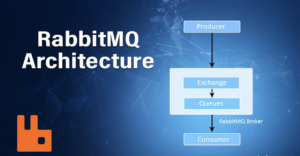 Continue reading →: Deploy RabbitMQ Server for VCD
Install Using a Cloudsmith Mirror Yum Repository A Yum repository with RabbitMQ packages is available from Cloudsmith and a mirror of the repositories there. Install RabbitMQ and Cloudsmith Signing Keys Yum will verify signatures of any packages it installs, therefore the first step in the process is to import the…
-
Continue reading →: Configure External Access to vCloud Director DB
Navigate to the database directory as mentioned below path and Copy README file. # cd /opt/vmware/appliance/etc/pg_hba.d# cp README pg_access Append the file with below shown entry. (You can allow access only from specific IP addresses as needed.) #TYPE DATABASE USER ADDRESS METHODhost vcloud vcloud 0.0.0.0/0 md5 Now change the permissions and…
-
Continue reading →: Manually Delete Cluster Services VM(vCLS)
1. Note the names of all the vCLS VMs we are looking to delete. 2. Login to vCenter Database using the below command. /opt/vmware/vpostgres/current/bin/psql -d VCDB -U postgres 3. Identify the Virtual Machine ID in the vCenter database with this command (replace <vm_name> with the display name of the virtual machine…
Hello,
I’m Aigars

Welcome to Virtualisation Alley, my cozy corner of the internet dedicated to VMware. Here, I invite you to join me on a journey into virtual world. Let’s go.
Let’s connect