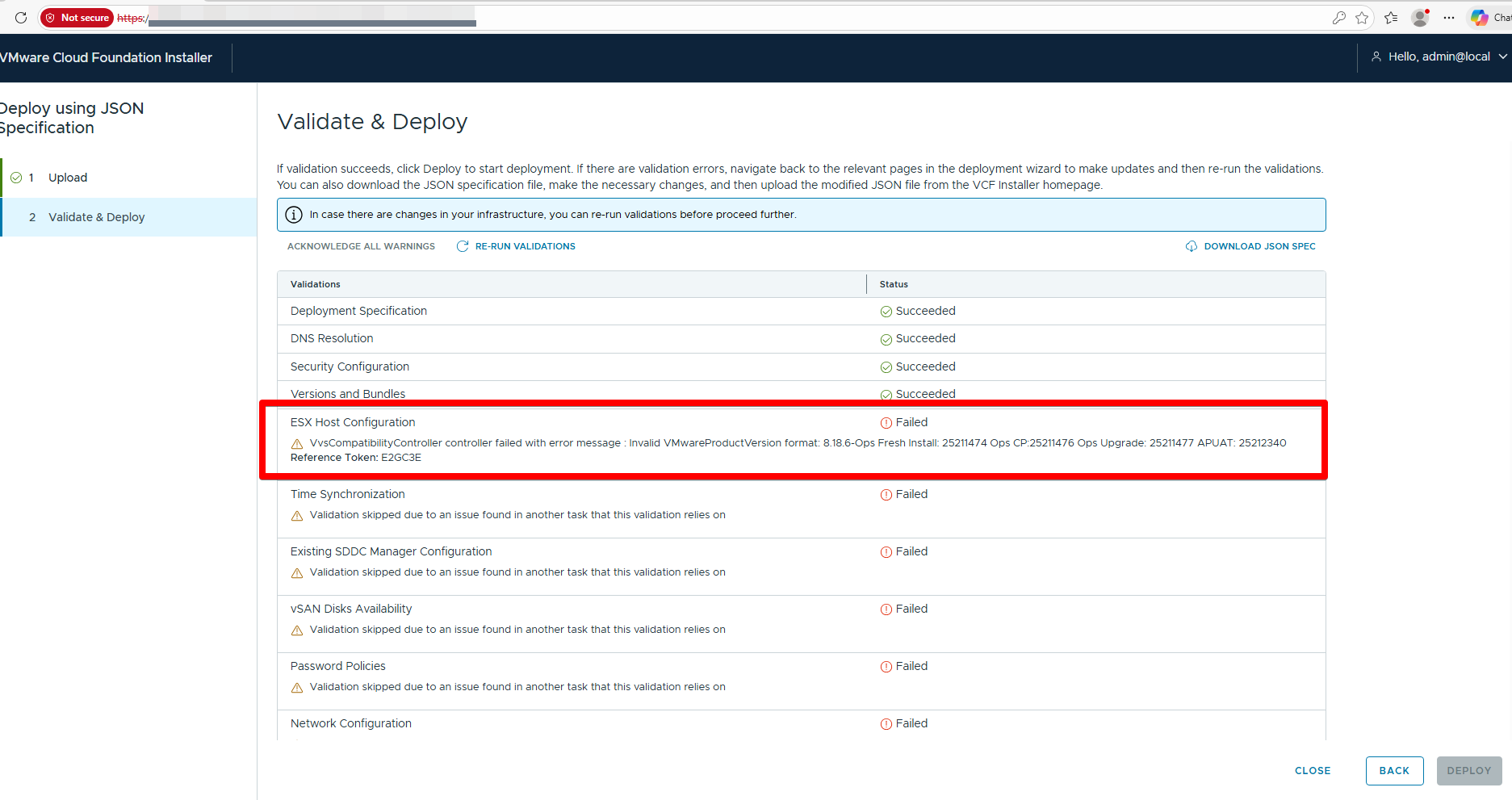
Validate and Deploy fails with errors such as:
Failed to retrieve compatibility matrix for component VMware Cloud Foundation Operations with version 9.0.0.0.########

Failed to retrieve compatibility matrix for component VMware Cloud Foundation Operations fleet management with version 9.0.0.0.#######

Failed to retrieve compatibility matrix for component VMware vCenter with version 9.0.0.0.#######

Failed to retrieve compatibility matrix for component SDDC Manager with version 9.0.0.0.#######

Failed to retrieve compatibility matrix for component VMware NSX with version 9.0.0.0.#######
This is also applicable in the scenario where VCF 9.x bring up is failing during validation due to below error:
ERROR [vcf_dm,f] [c.v.e.s.o.model.error.ErrorFactory,dm-XX] [XXXX] COMPATIBILITY_CONTROLLER_EXCEPTION VvsCompatibilityController controller failed with error message : Invalid VMwareProductVersion format: 8.18.6-Ops Fresh Install: 25211474 Ops CP:25211476 Ops Upgrade: 25211477
- Connect to the Installer appliance via SSH, switch user to ‘root’.
- Backup the LCM application properties file:
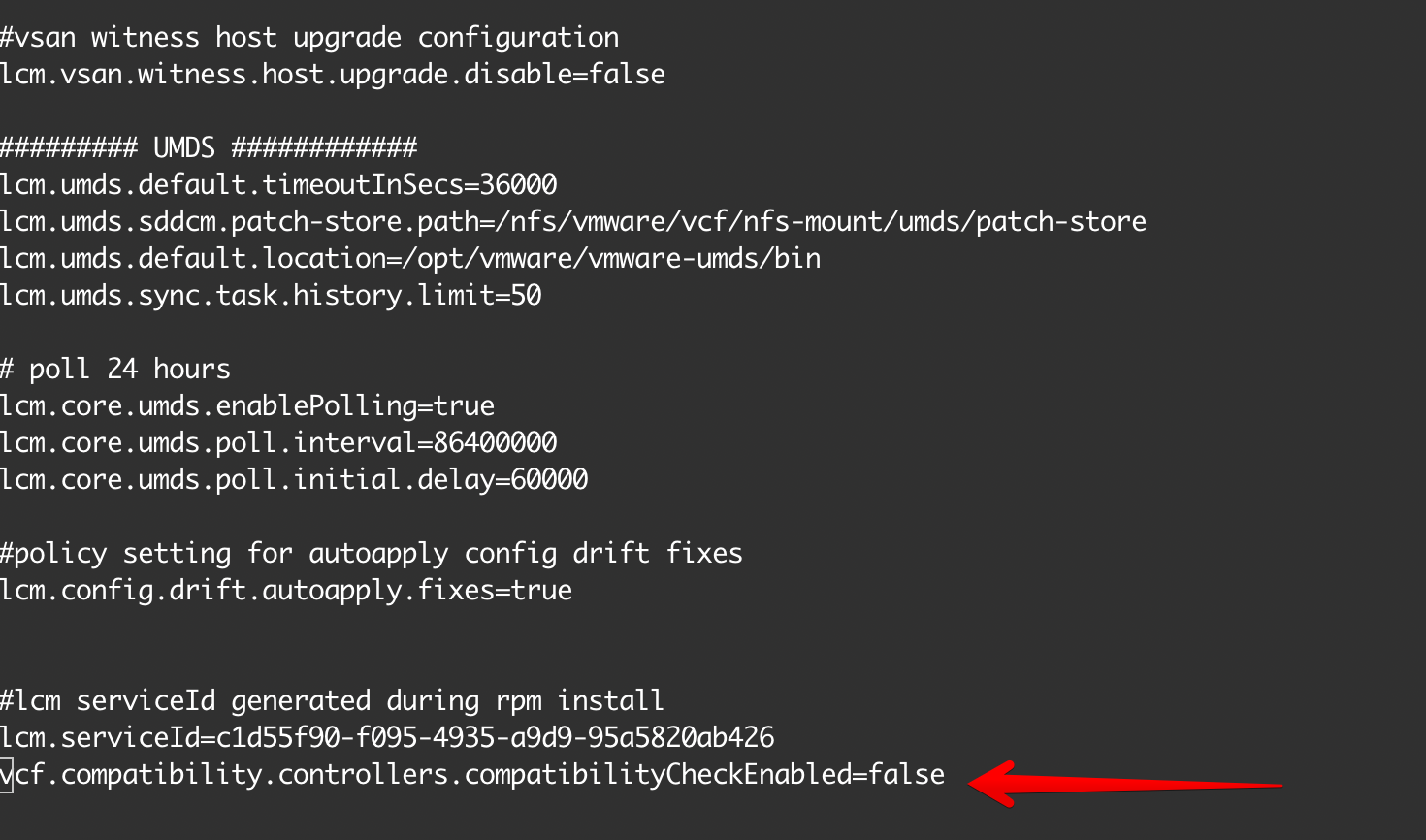
cp /opt/vmware/vcf/lcm/lcm-app/conf/application-prod.properties /opt/vmware/vcf/lcm/lcm-app/conf/application-prod.properties.bak - Modify the LCM application properties file:
- Open the file for editing:
vi /opt/vmware/vcf/lcm/lcm-app/conf/application-prod.properties- Locate the line
vcf.compatibility.controllers.compatibilityCheckEnabled=and change its value tofalse. If the line does not exist, add it to the end of the file:vcf.compatibility.controllers.compatibilityCheckEnabled=false - Save and exit the file (in vi, press
Esc, then:wq!, thenEnter).
- Locate the line
- Open the file for editing:
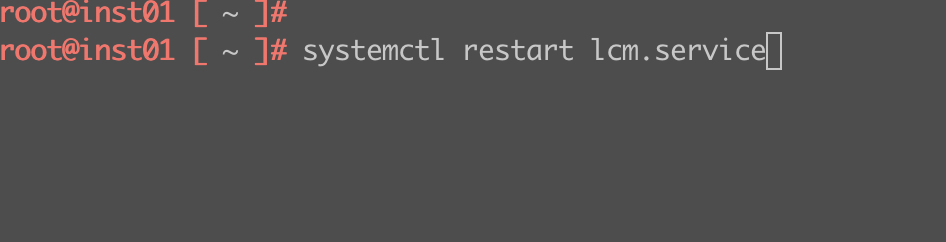
- Restart the LCM service:
systemctl restart lcm.service - Backup the Domain Manager application properties file:
cp /etc/vmware/vcf/domainmanager/application-prod.properties /etc/vmware/vcf/domainmanager/application-prod.properties.bak - Modify the Domain Manager application properties file:
- Open the file for editing:
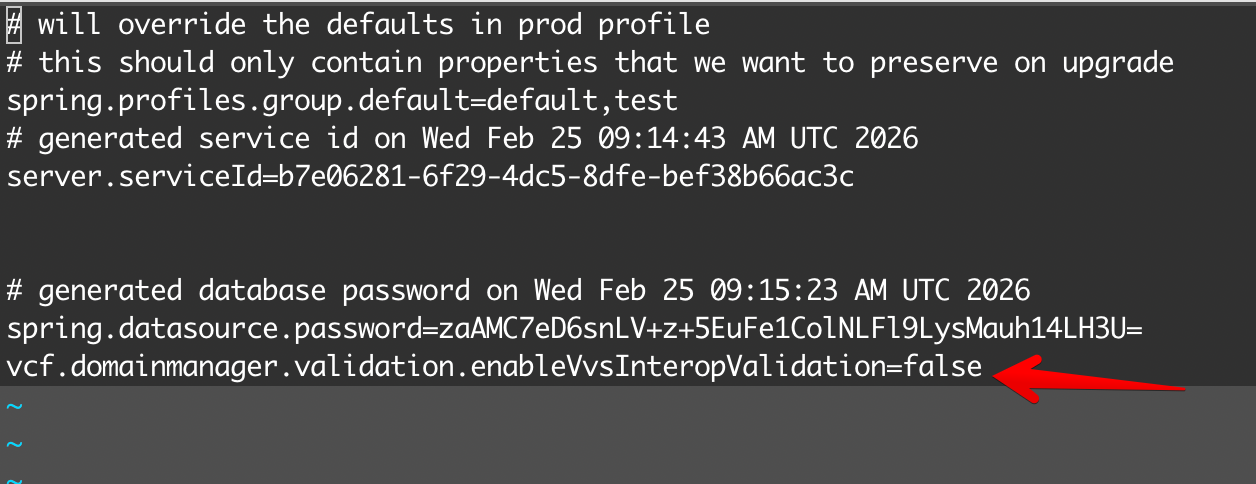
vi /etc/vmware/vcf/domainmanager/application-prod.properties - Locate the line vcf.domainmanager.validation.enableVvsInteropValidation= and change its value to
false. If the line does not exist, add it to the end of the file:
vcf.domainmanager.validation.enableVvsInteropValidation=false - Save and exit the file.
- Open the file for editing:
- Restart the Domain Manager service:
systemctl restart domainmanager.service - Verify Services are Running:
systemctl status lcm.servicesystemctl status domainmanager.serviceEnsure both show asactive (running). - Retest the operation that was previously failing due to compatibility checks.
LCM Application


Domain Manager



That’s it ! After that just run re-check again and everything should be fine.